Adding Products to a Channel
Once products are available in master data, they can be added to a channel. Products can be selected for channels directly from the Master Data screen, or products can be added to a channel directly from the specific channel page. This topic explains the process of adding products manually. Products can also be added to a channel using the auto-assignment method, which allows the user to set products to automatically load to a channel and/or category based on rules created by the user. For more information on the auto-assignment method, refer to the Auto-assignment Rules topic.
Adding Products to a Channel From Master Data
To add products to a channel from Master Data, select the Master Data screen and select products for addition. Click the hamburger icon to open the list of functions and select the 'Add to channel' icon ( ).
).
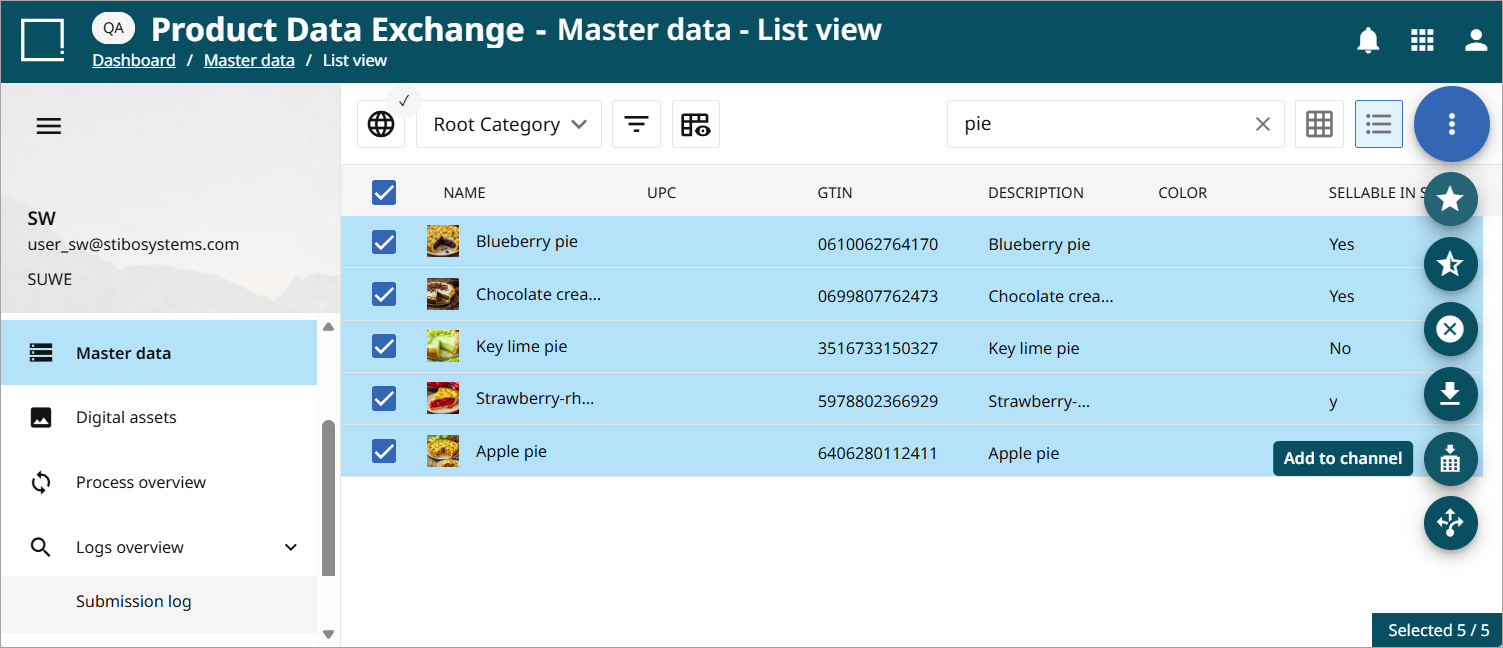
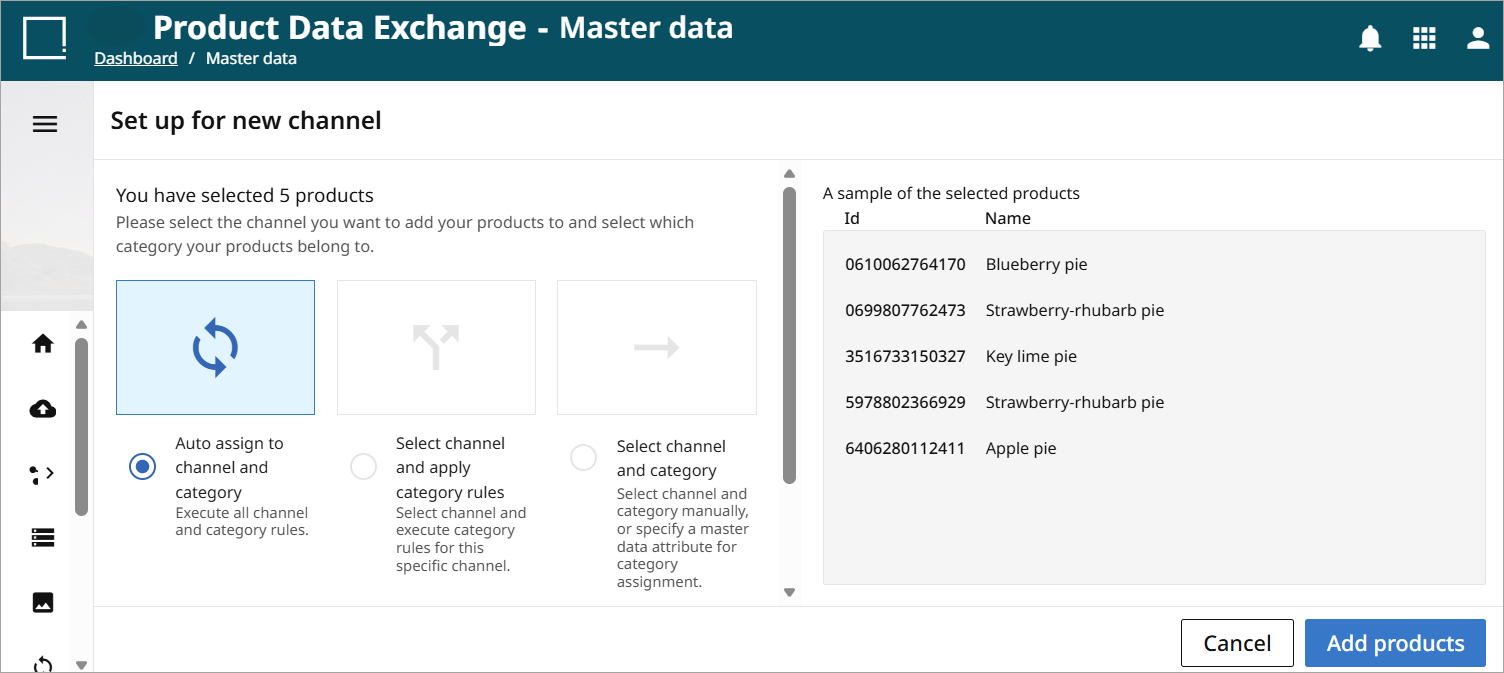
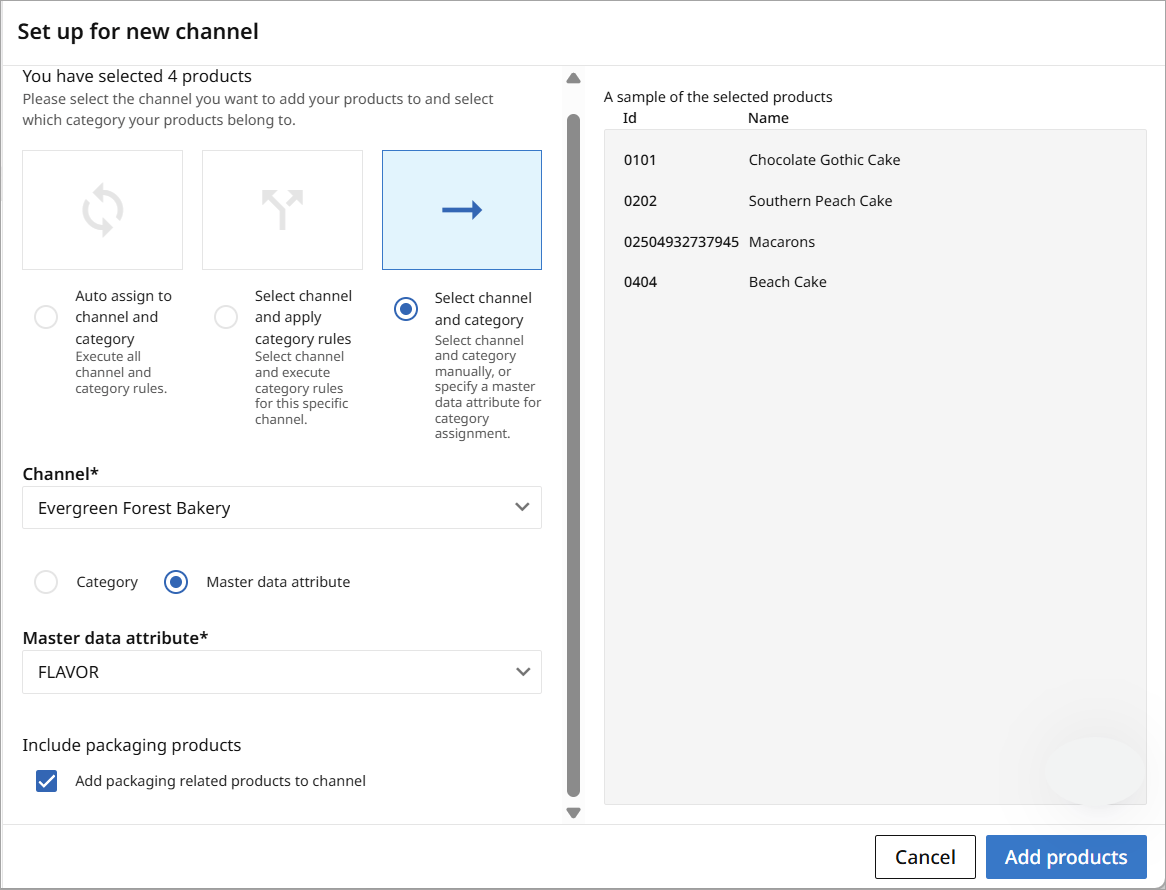
This will open the 'Set up for New Channel' screen. Three options for adding products to a channel are available on this screen.
-
Auto assign to channel and category: auto-assignment allows users to automate the assignment of products to channels. You must have created channel and category rules in the channel to upload via this option. For more information on the auto-assignment process, refer to the Auto-assignment Rules documentation.
-
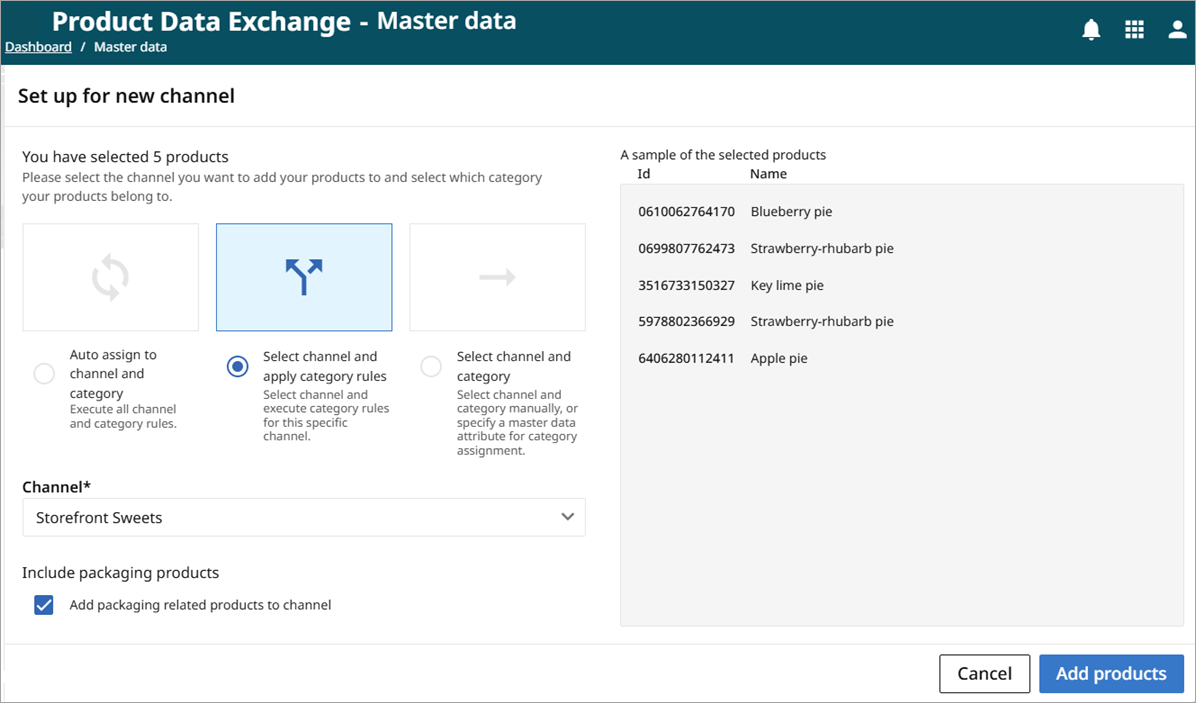
Select channel and apply category rules: this option allows users to combine the use of category rules with manual channel selection for upload. Category rules must be present in the channel to use this option. For more information on the auto-assignment process, refer to the Auto-assignment Rules documentation.
-
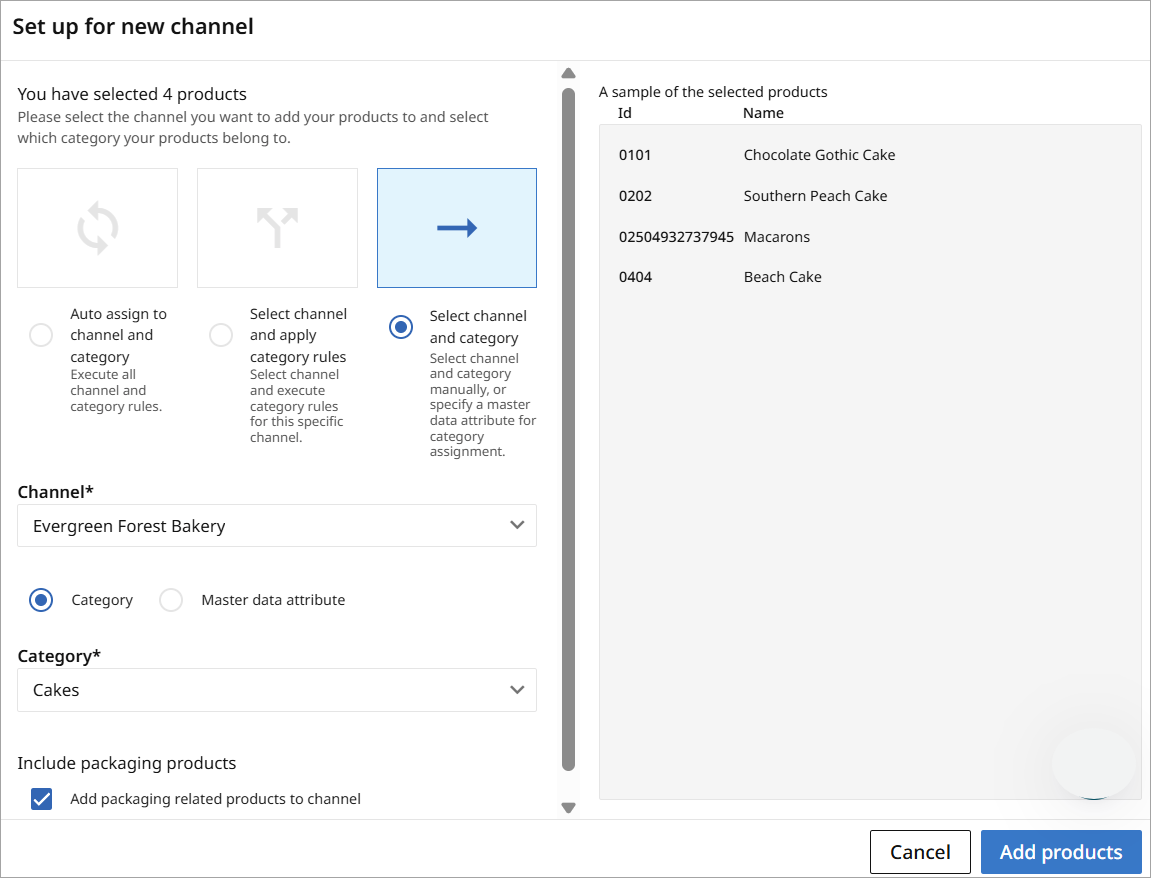
Select channel and category: this method allows you to select both the channel and category manually or select the channel manually and specify a master data attribute for category assignment.
-
Select channel and category: this method allows the user to manually select both the channel and the category from the corresponding dropdown menus. In this example, all products added will be placed in the 'Cakes' category of the Evergreen Forest Bakery channel.
-
Specify a master data attribute for the category assignment: with this option, category assignment is driven by values already stored on each product. Instead of manually selecting a category or applying category rules, you select a master data attribute whose value determines the category to which each product is assigned in the selected channel.
-
The system reads the value of the specified master data attribute.
-
That value is matched to a corresponding category in the channel.
-
The product is assigned to the matching category.
This approach ensures category assignment is aligned with existing product master data and supports consistent, data‑driven categorization—especially when products already contain channel‑specific or externally managed category information.
-
-