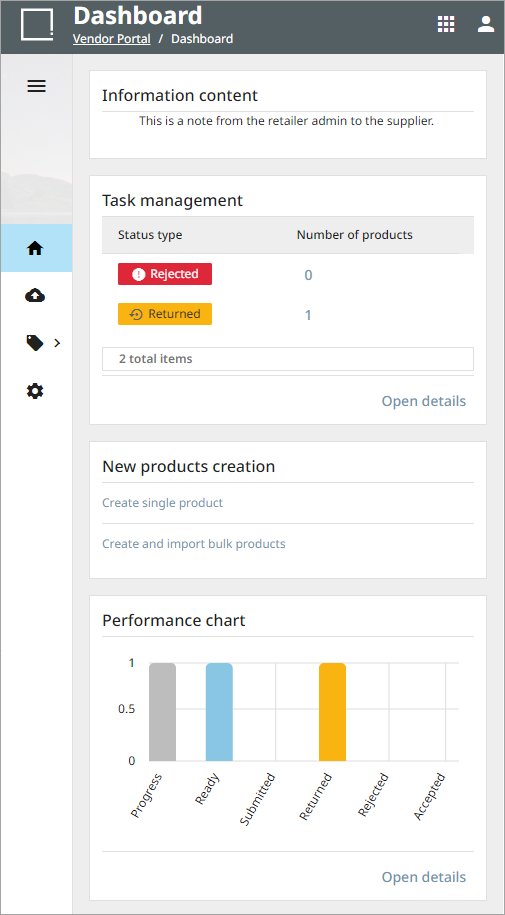
The Vendor Portal Dashboard is the landing place for the Vendor Portal. It is where the supplier can view any required product onboarding actions or tasks, review product record statuses, view any messages from the retailer, and quickly create new single or bulk products for a channel context. The look of the dashboard and the widgets displayed are created and maintained by the retailer using the Channel Portal. For more information regarding the Channel Portal and the Vendor Portal, refer to the Channel Portal and Vendor Portal topics respectively.
Widgets
The Dashboard contains the following widgets:
-
Information content: where the supplier can view messages or announcements from the retailer.
-
Task management: displays a quick view of the required actions.
-
New products creation: allows for the creation of single or bulk products. For more information on creating products, refer to the Vendor Portal Products topic.
-
Performance chart: displays the performance status of the products added.