The Master settings section contains attributes that exist in master data.
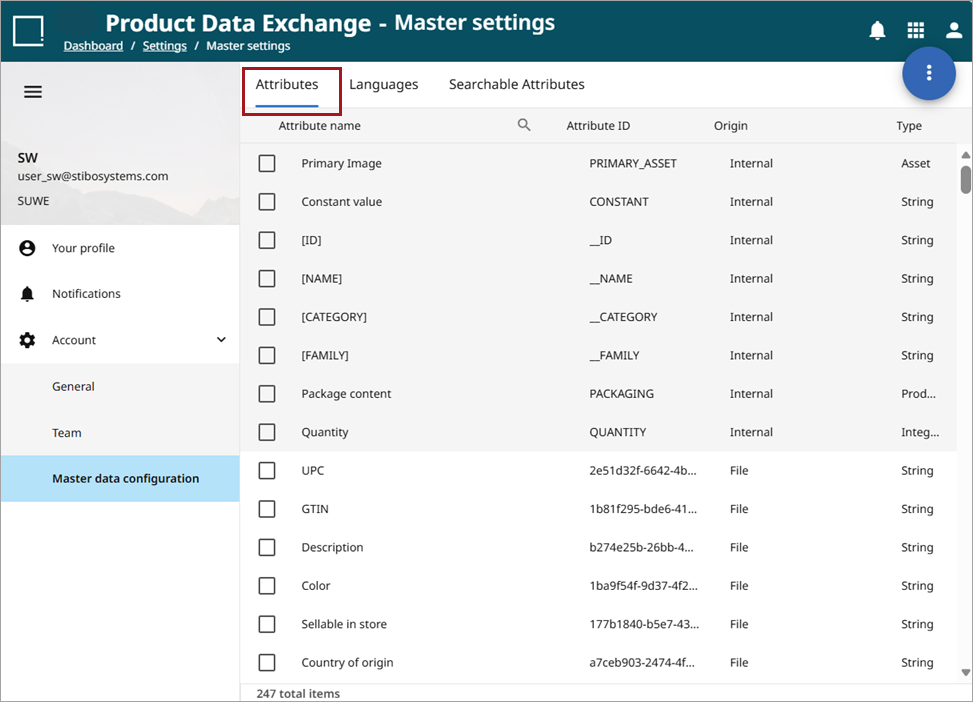
Master Settings Tabs
Attributes Tab
From the Attributes tab, a user can access the following attribute information in columns as in the above screenshot: attribute name, attribute ID, origin (of the attribute, either internal or file), and type (such as integer, reference, or string).
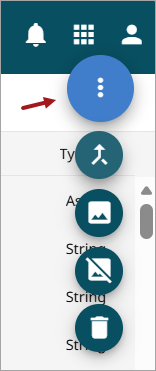
A user can also use the kebab menu to make the following changes to attributes:
-
Merge two attributes into one (
 )
) -
Convert an attribute to an asset type (
 )
) -
Convert an attribute to a string type (
 )
) -
Delete an attribute (
 )
)
Languages Tab
The Languages tab shows all available languages in your master data. A user can delete languages from this screen by checking the language(s) and then accessing the delete function from the kebab dropdown menu.
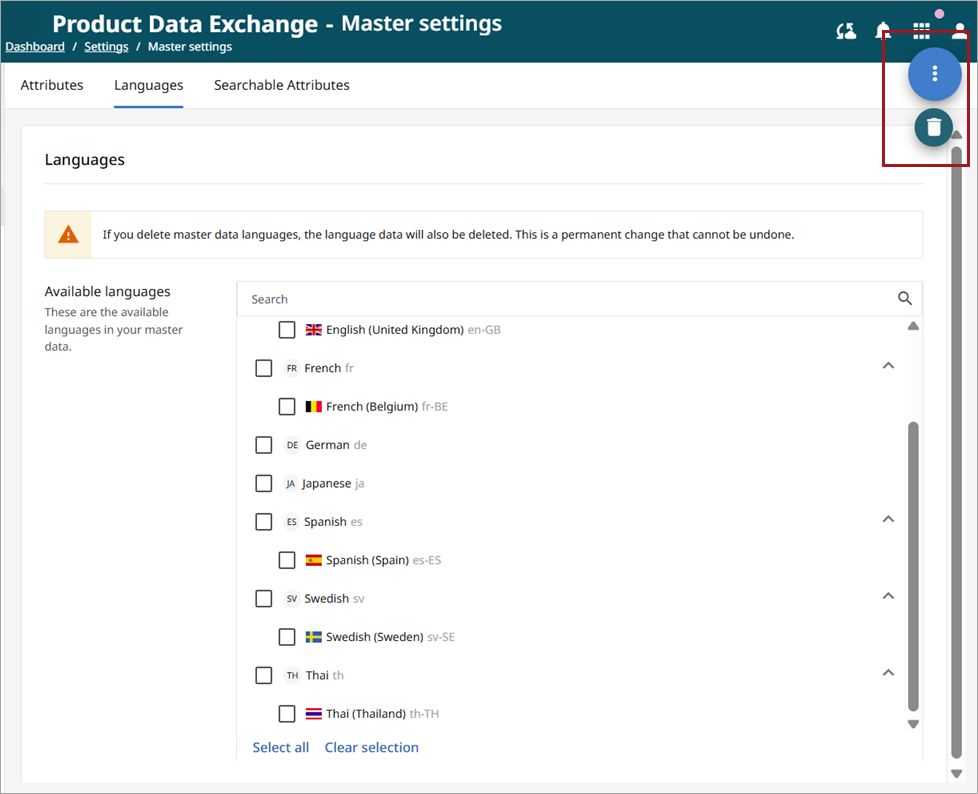
Important: If you delete master data languages, the language data will also be deleted. This is a permanent change that cannot be undone.
Searchable Attributes
This tab shows assets that are searchable in Master Data. Assets can be added and removed for search purposes, with the exception of the assets NAME, ID, and FAMILY, which are locked and cannot be deleted.
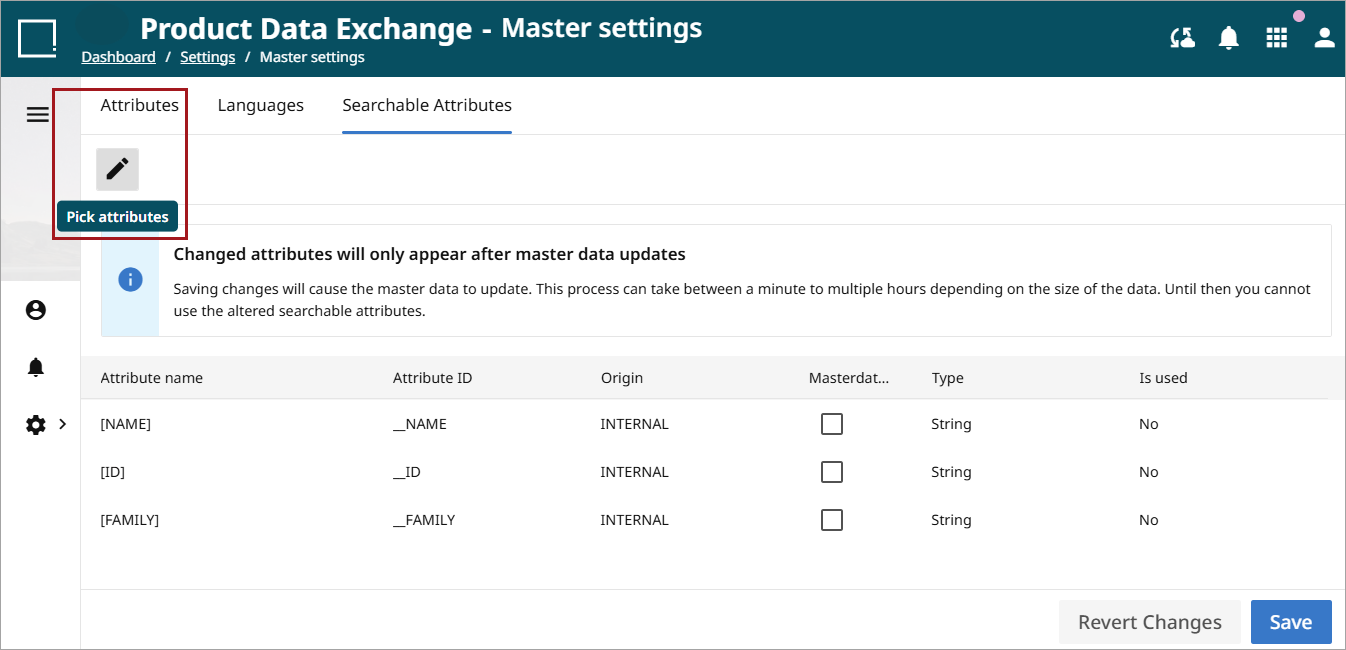
To modify the searchable attributes list, click the pencil icon (Pick attributes) in the top left-hand corner of the screen.
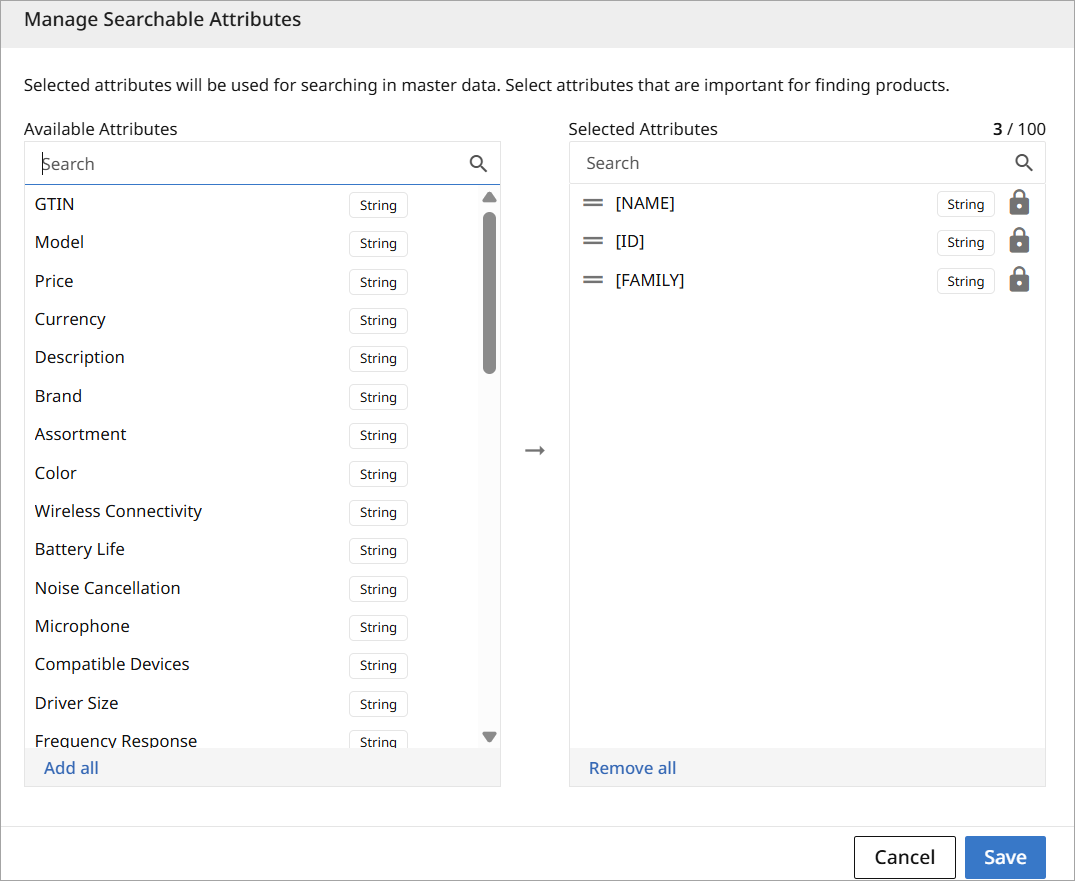
For more information on the Manage Searchable Assets function, refer to the Searchable Channel Attributes section in the Channels topic.