The Login screen for the Web UI allows users to enter their user credentials, acknowledge any disclaimers on the Web UI if applicable, and log in to proceed with their work.

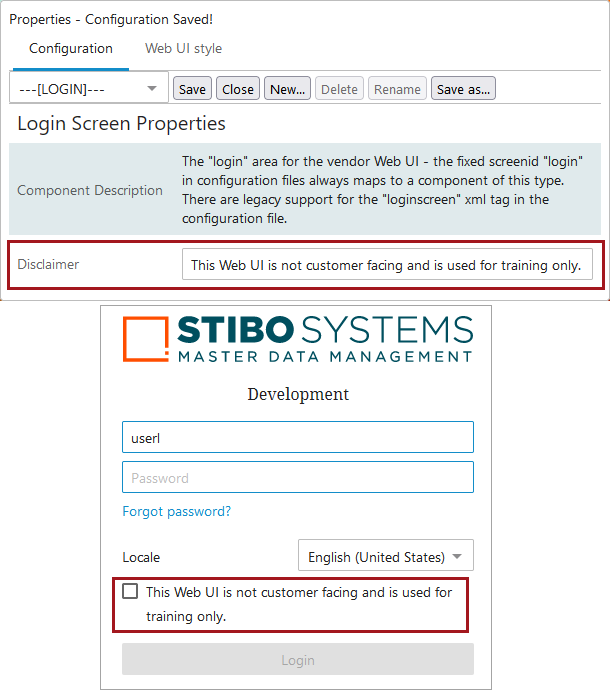
For administrators, the only parameter to set in the designer on the Login Screen Properties is the Disclaimer parameter. This field allows Web UI designers to set a message that users must acknowledge with a checkmark before the system will allow a user to log in. This parameter can only contain plain text.
To set the Disclaimer parameter, open the designer and go to --[LOGIN]--.
Note: If an announcement is needed, STEP allows Web UI designers to create announcements that display on the login page. This is valuable for alerting users to, for example, scheduled downtime related to system maintenance. For more information, refer to the Adding Announcements to the Login Page topic in the Web User Interfaces documentation here.