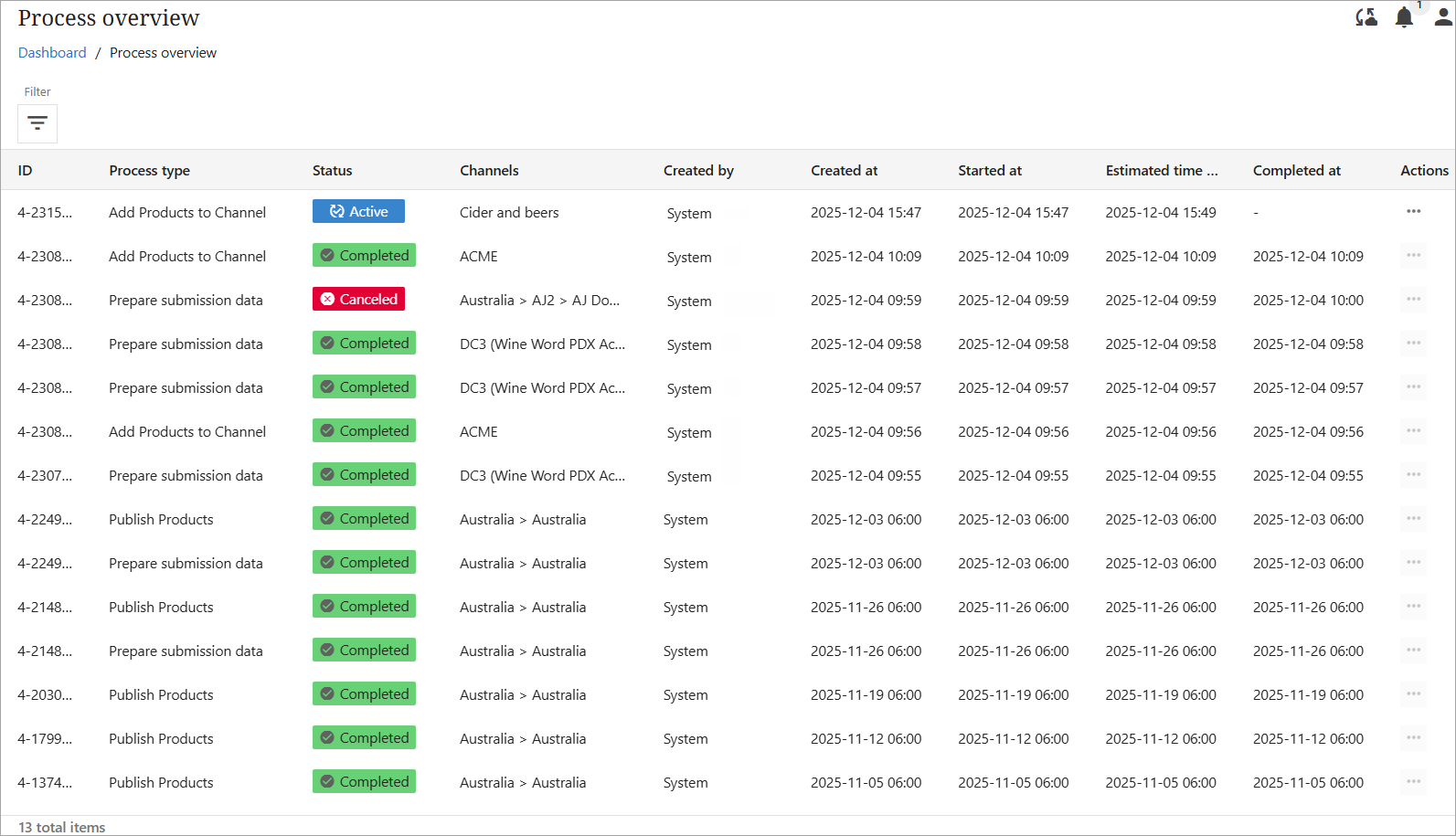
The Process overview displays important processes (workflows) that were initiated in PDX.
Users can now see all processes initiated and/or completed for products on a single screen with all statuses viewable.
The Process overview's purpose is to provide better visibility into the processing of many time-consuming operations and provide the user with a status on different processes, such as import, add to channel actions, mappings, and preparation of submissions.
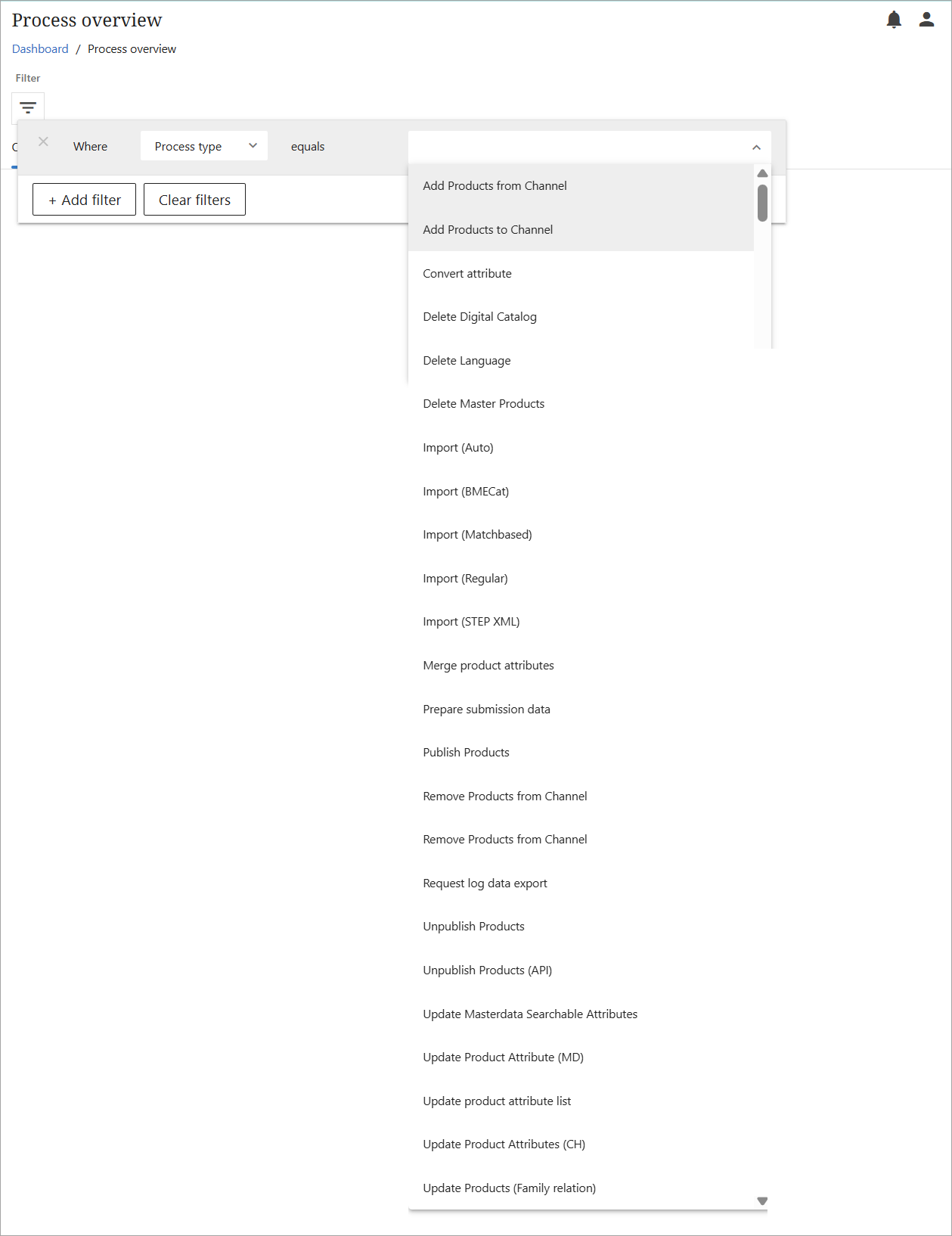
The Process overview screen also offers a filter functionality, providing the possibility to only view specific processes. The screenshot below shows all process types both tracked in the Process overview and available to filter.
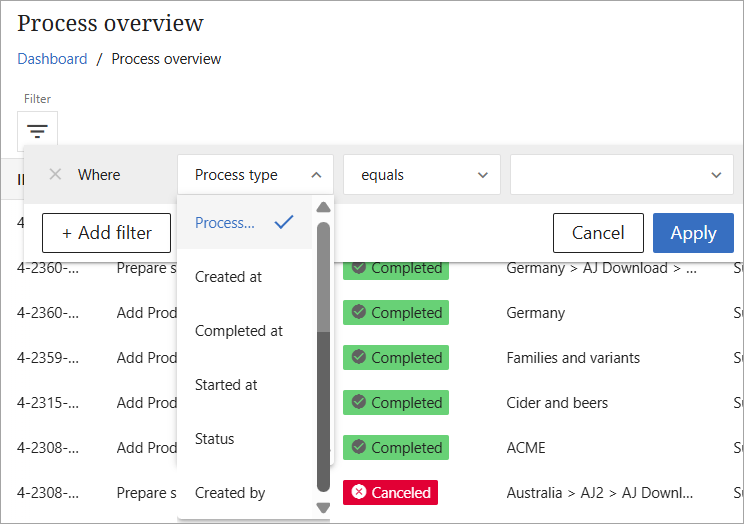
Additional filters are available, as shown in the below screenshot.
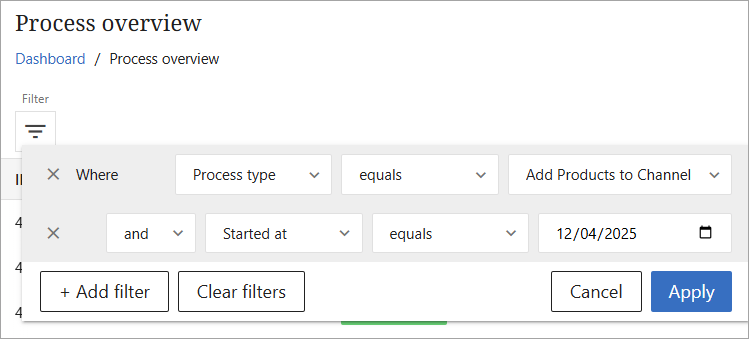
Multiple filters can be combined, as in the below screenshot.
If a process is waiting to be picked up or is being processed, the user has the ability to cancel a process if it was initiated by mistake. The User can select a process that has not yet completed and click on the ellipses (...) in the Action column to cancel that process. The status of the process will be changed from Fetching or Active to Canceled.
Note: Regular users can cancel processes they initiated. Client Admins have broader cancellation privileges and can cancel their own processes, processes initiated by teammates, and even processes initiated by the ‘System.’
The Process overview can answer questions such as the following:
-
Did the system acknowledge my request?
-
Has the job I started been completed?
-
When can I expect my job to be completed?
-
How much time went by before my job was picked up for processing?
-
How much time was spent processing my job?
-
Which other jobs have been queued up?
Users can also see information about the following:
-
When a large process has begun
-
When a large process has completed
-
Provide a overview for historical long-running processes
-
Metadata on the processes
Some processes are triggered only if they involve more than 100 products. For example:
-
The ‘Add to channel’ process in Master Data and from a channel is triggered when it involves more than 100 products.
-
The ‘Update Product Attributes (CH)’ process is triggered when more than 200 products are selected.
Note: The ‘Prepare submission data’ process in the 1WorldSync Channel and Brandbank Channels is not displayed in the Process overview because these channels’ submission processes are not ‘workflow’ enabled in PDX.
Permissions to view processes in the Process overview include the following:
-
Information about ‘Import’ processes can be viewed by all users.
-
If an ‘import to channel’ is performed, a user needs access to the specific channel to see the import process in the overview.